

Digitising old Video 8, Hi 8 and Digital 8 tapes.
One of the last popular camcorder formats was the Video 8 family. These formats are now quite old but still worthy of transfer, due to the ageing process and breakdown of the tape binder it is recommended you consider a proper future proofed transfer of all Video 8 to digital now. Here we discus Video 8, Hi8 and Digital 8 digitising.
All Formats
There were 3 formats Video 8, Hi8 then latterly Digital 8, all 3 can be successfully transferred into a digital file format. Hi8 and Video8 require correct conversion to a digital stream and Digital 8 can be digitised directly over Firewire to maintain digital quality.
DIY Camcorder Tape Transfer?
If you have a working player then you can try this at home yourself with a convertor or capture card, but results can be a little disappointing with budget USB devices. There are many converters out there all with varying price points and quality levels. You will need to experiment to find something that will work and give you acceptable results.
If you don’t feel confident you can then outsource the transfer to a reputable company such as ours.
Pro transfer using 10bit analoge to digital conversion
We have invested in the very best kit and processes to give a superior transfer for both domestic and professional tapes, together with 30 years of experience working in professional video production we have the expertise at a very competitive price point.
So how do we get great results out of this format?
To do this we use the following equipment:
A Sony professional playback deck is used. This outputs a best quality Y/C video signal and balanced audio which is then stabilised in a time base corrector. The corrected signal is then fed into a broadcast quality analogue to digital convertor to create an SDI 10 Bit signal.
The SDI signal includes the embedded audio which then goes into our Blackmagic Teranex, this is a box of digital magic, with literally hundreds of parameters we can make a multitude of adjustments to give the best possible output including,
Scaling to HD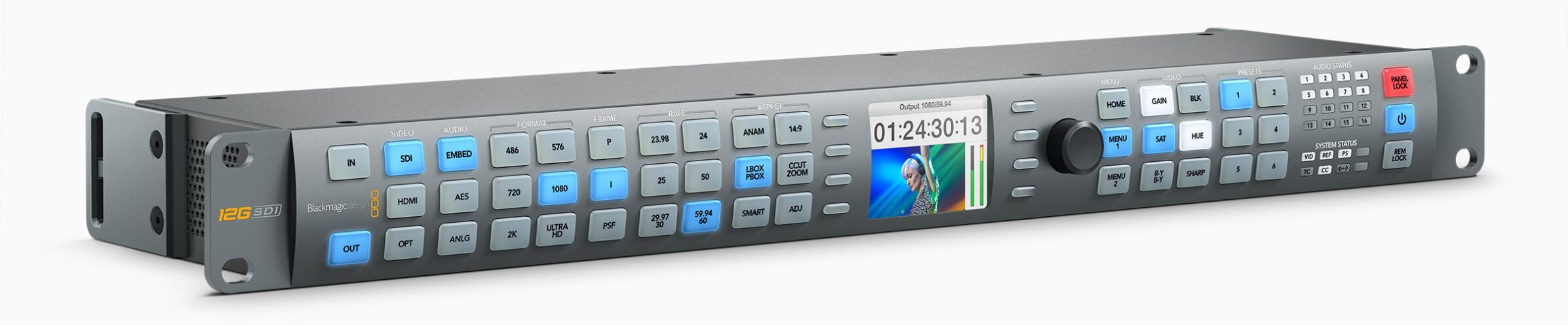
Black Level adjustment
Colour Adjustments
Picture noise reduction (gives better digital images)
Edge clean-up removes fuzzy edges visiable on widescreen and field of full view devices.
Audio boost for lower level signals
The corrected and enhanced picture is then recorded to a broadcast quality low compression ProRes format. (Making real-time MP4 files at this point yields poorer quality)
The ProRes file is then ingested into one of our powerful video edit machines were we can then cut any long blank segments make any edits, add titles and export to a high quality MP4 file for end use. You can of course opt to have ProRes files if you wish to do this part of the yourself.
All your tapes on 1 USB


The MP4 files can be stored easily on 1 USB memory stick for playback on smart TV’s, computers, tablets or uploaded to Youtube or a file sharing service.
Contact us now for more information and a quote.

